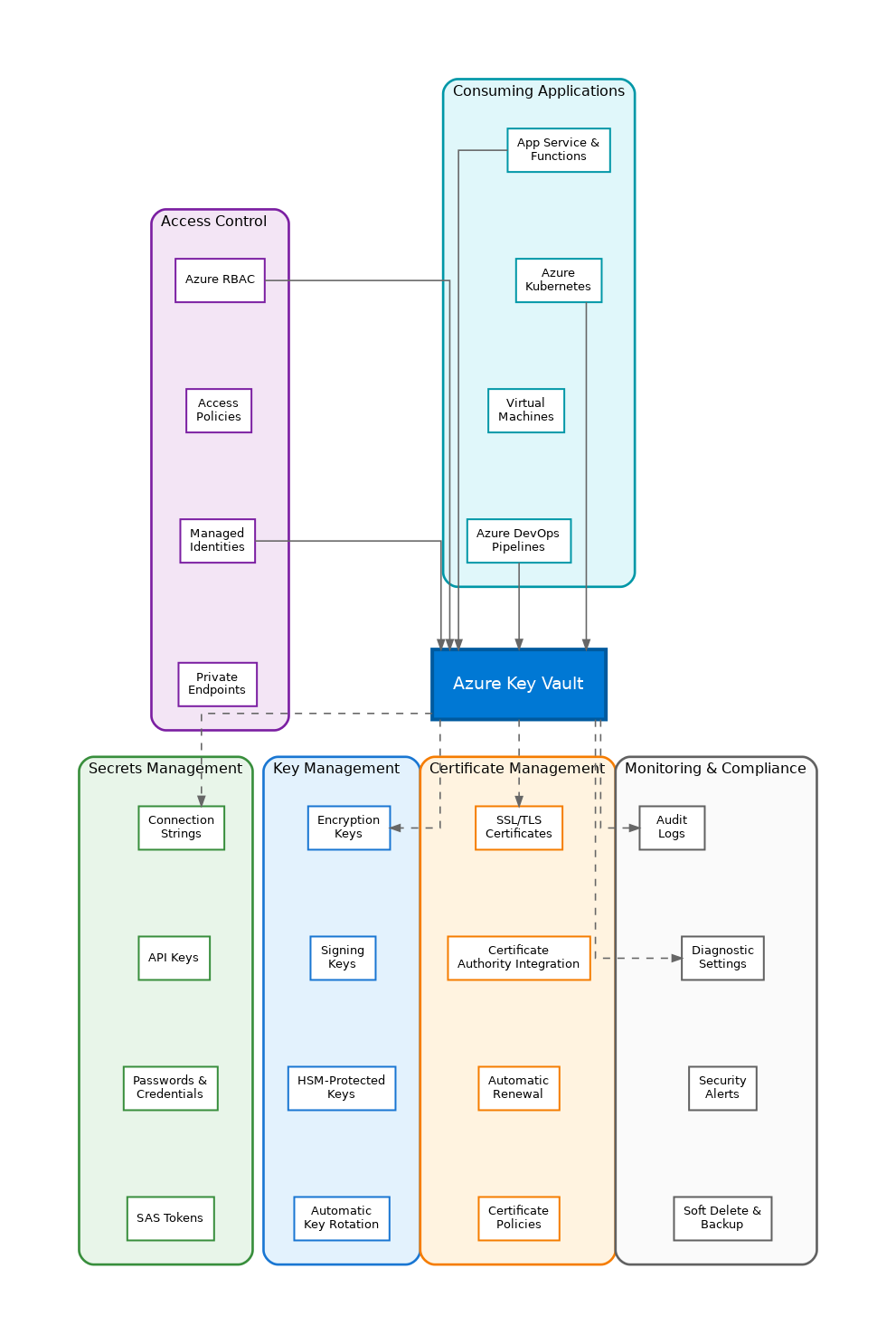
In the world of cloud-native applications, secrets management has evolved from a necessary evil to a critical architectural concern. Azure Key Vault stands as Microsoft’s answer to centralized secrets, keys, and certificate management, providing a secure foundation for enterprise applications. Having implemented Key Vault across dozens of production environments, I’ve come to appreciate its role as the cornerstone of any secure Azure architecture.
Understanding the Three Pillars
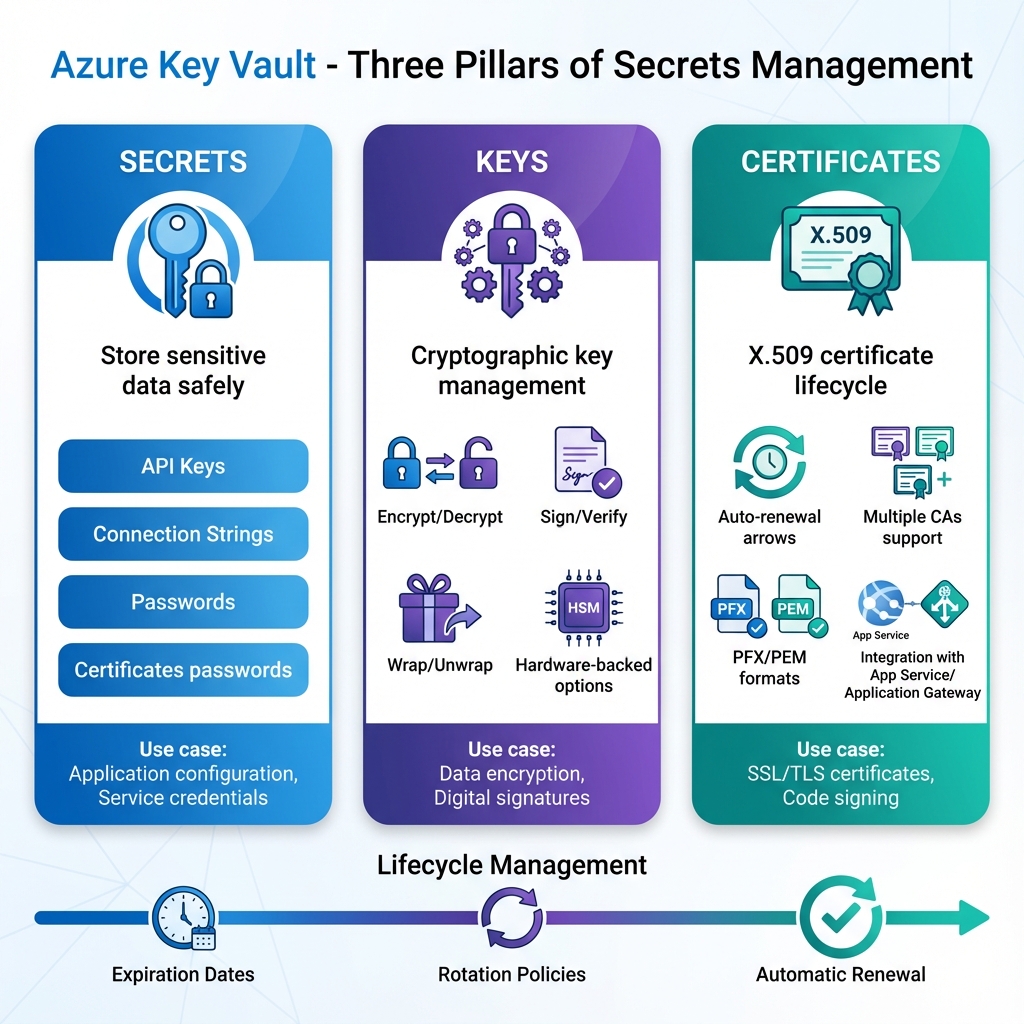
Key Vault organizes its capabilities around three distinct object types: secrets, keys, and certificates. Secrets store arbitrary sensitive values like connection strings, API keys, and passwords. Keys provide cryptographic operations for encryption, signing, and wrapping without exposing the key material. Certificates manage the complete lifecycle of X.509 certificates, including automatic renewal. Understanding when to use each type is fundamental to effective Key Vault architecture.
Access Control Strategies
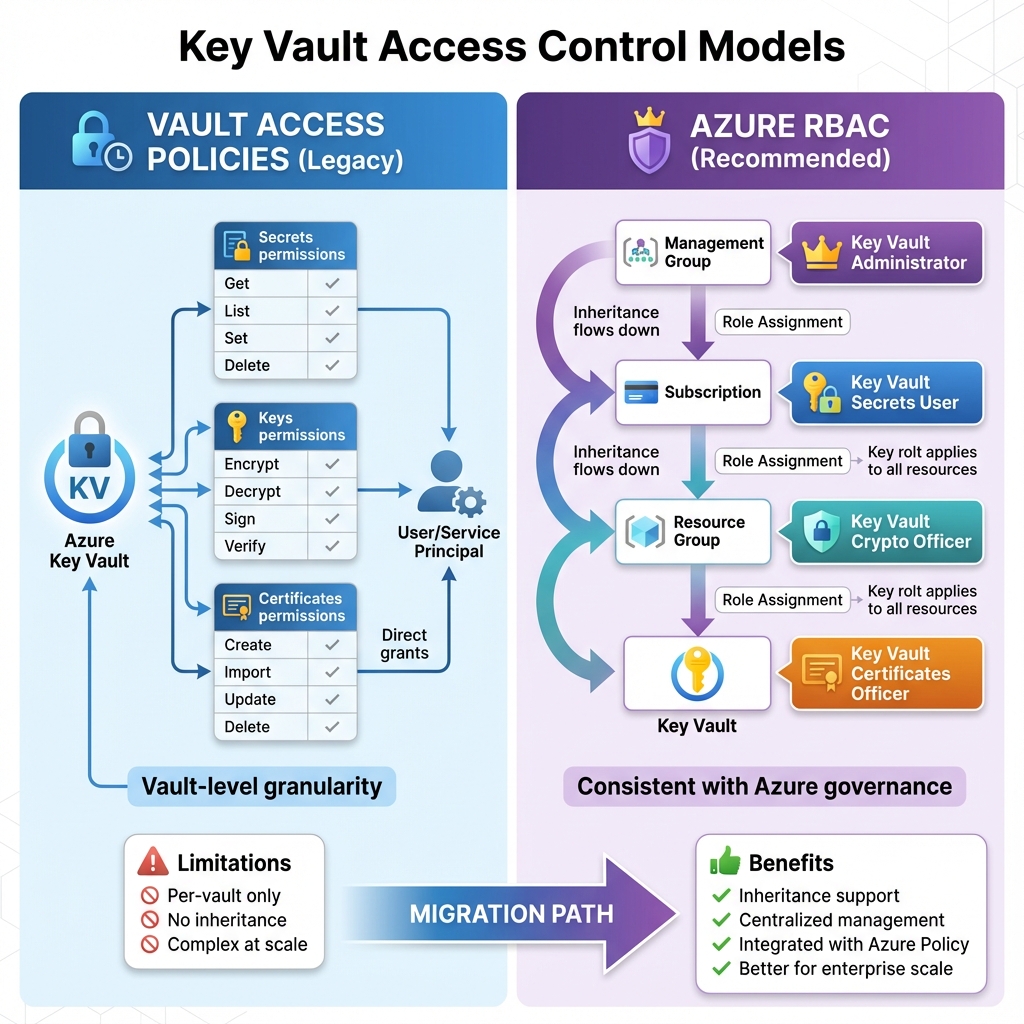
Key Vault supports two access control models: vault access policies and Azure RBAC. Access policies provide granular permissions at the vault level, specifying which principals can perform which operations on secrets, keys, or certificates. Azure RBAC offers more flexibility with built-in roles like Key Vault Secrets User and Key Vault Crypto Officer, enabling inheritance from resource groups and subscriptions. For new deployments, I recommend RBAC for its consistency with broader Azure governance patterns.
Managed Identities: The Zero-Credential Pattern
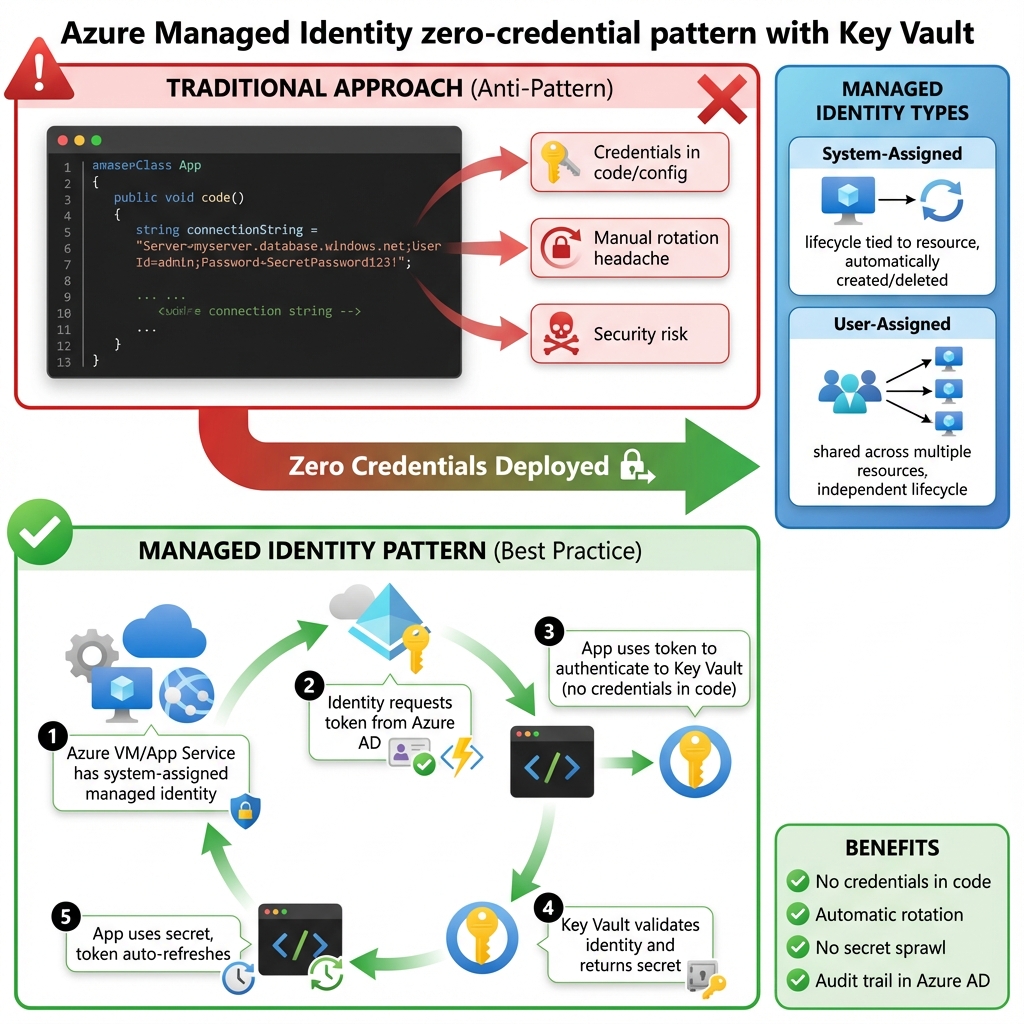
The true power of Key Vault emerges when combined with managed identities. System-assigned identities automatically provision credentials for Azure resources, eliminating the chicken-and-egg problem of storing credentials to access the credential store. User-assigned identities enable sharing identity across multiple resources. This pattern eliminates credential rotation concerns entirely for Azure-to-Azure communication, representing the gold standard for cloud-native security.
When to Use What: Secrets Management Options
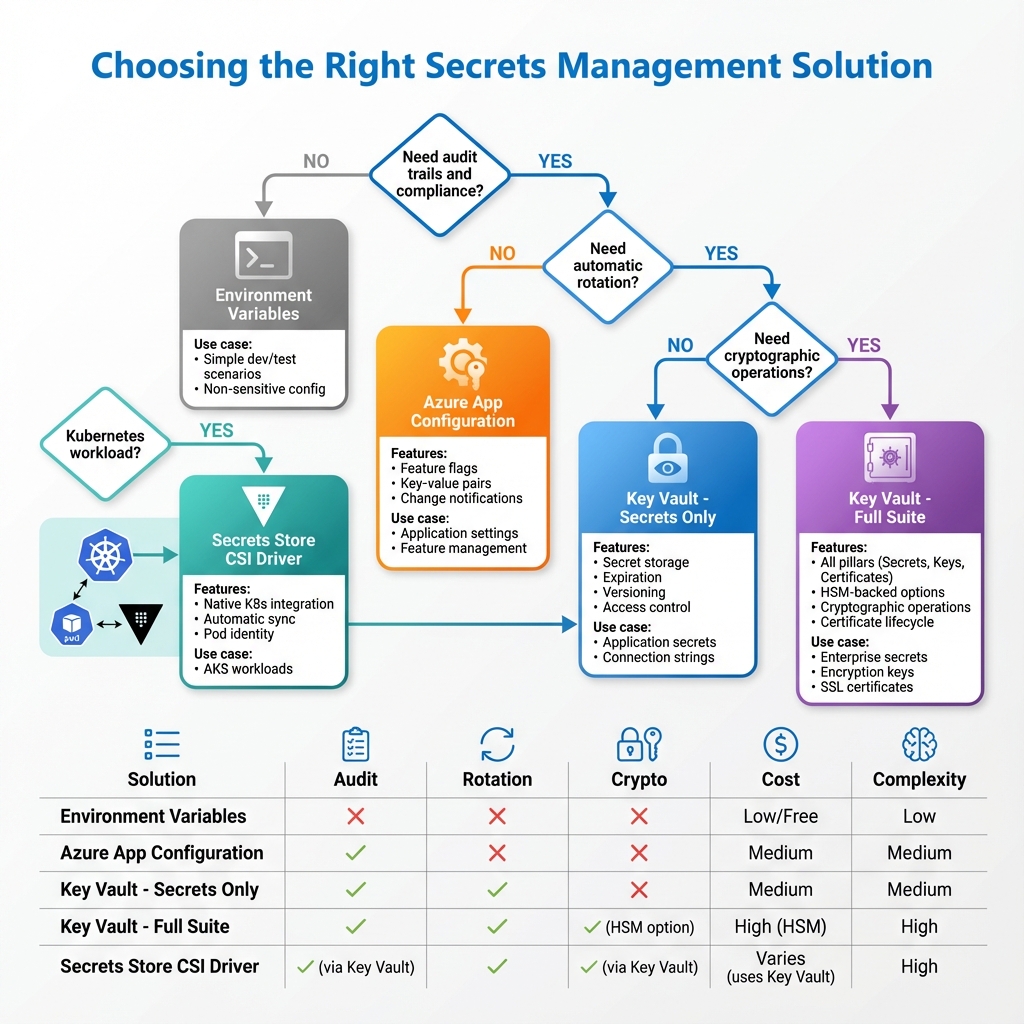
Azure provides several options for secrets management, each suited to different scenarios. Key Vault excels for centralized enterprise secrets with audit requirements and HSM-backed key protection. Azure App Configuration handles feature flags and non-sensitive configuration with change notifications. Environment variables work for simple deployments without rotation requirements. For Kubernetes workloads, the Secrets Store CSI Driver bridges Key Vault with pod secrets. Choose Key Vault when you need audit trails, automatic rotation, or cryptographic operations.
Network Security and Private Endpoints
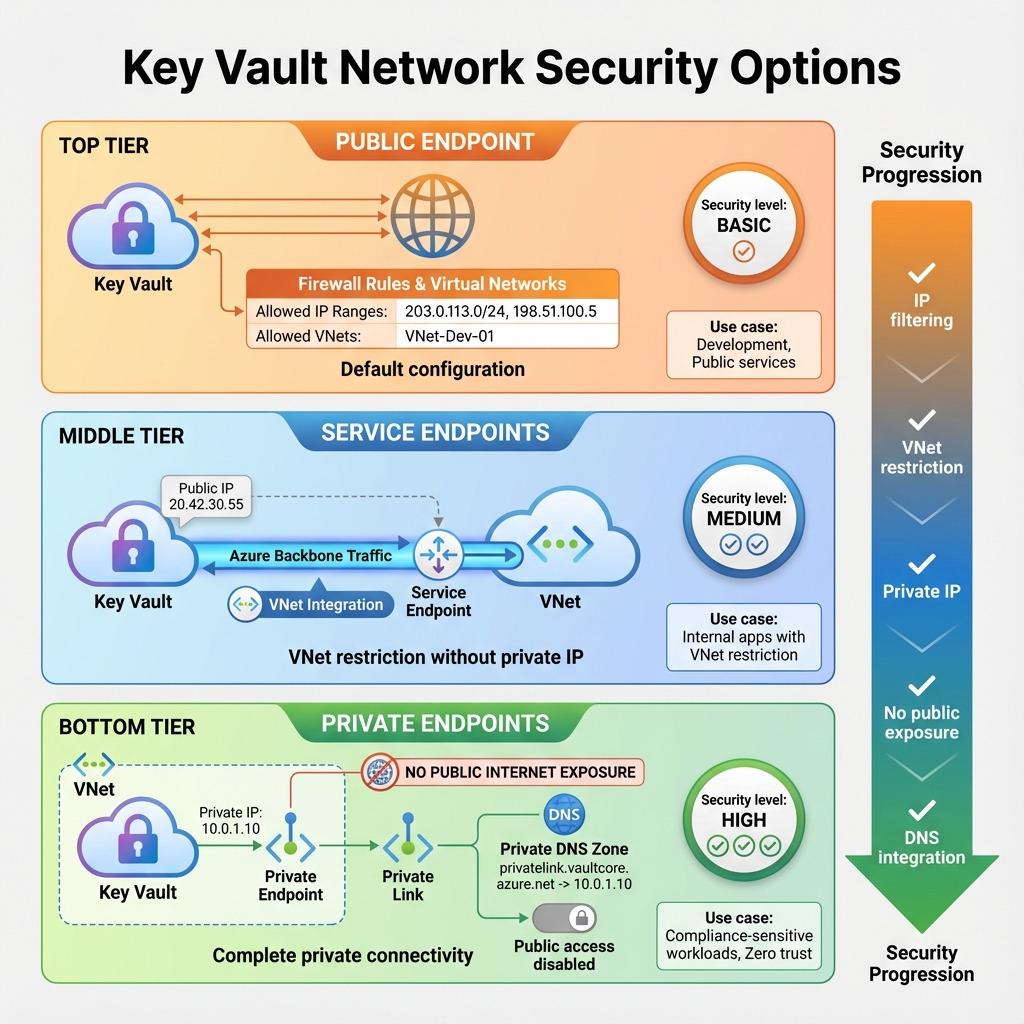
By default, Key Vault exposes a public endpoint, but production deployments should restrict access. Private endpoints bring Key Vault into your virtual network, eliminating public internet exposure. Service endpoints provide a middle ground, restricting access to specific virtual networks while maintaining the public endpoint. Firewall rules can whitelist specific IP addresses for hybrid scenarios. For compliance-sensitive workloads, private endpoints combined with disabled public access provide the strongest security posture.
Soft Delete and Purge Protection
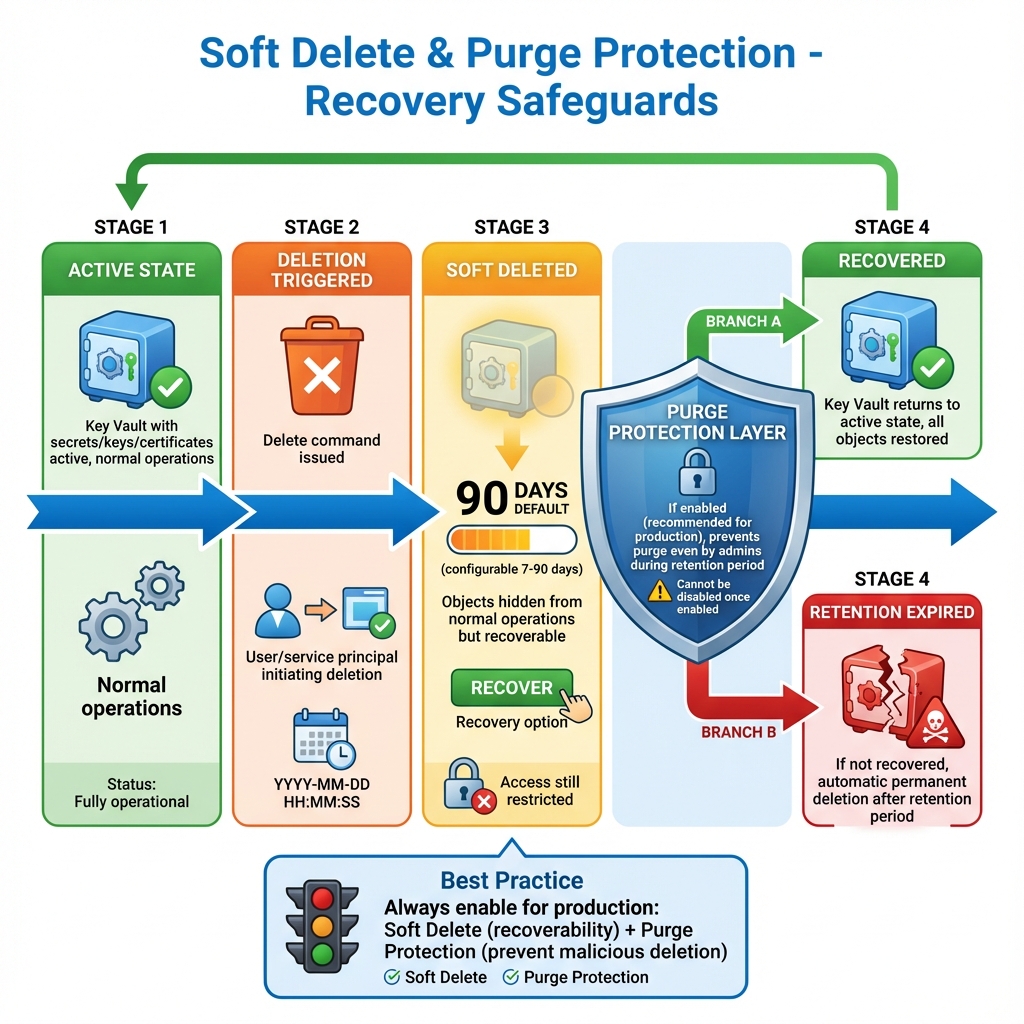
Key Vault’s soft delete feature, now enabled by default, provides a safety net against accidental deletion. Deleted vaults and objects remain recoverable for a configurable retention period. Purge protection adds an additional layer, preventing even administrators from permanently deleting objects during the retention period. These features are essential for production workloads, protecting against both accidents and malicious insider threats.
Monitoring and Compliance
Every Key Vault operation generates audit logs, providing complete visibility into who accessed what and when. Diagnostic settings route these logs to Log Analytics, Event Hubs, or storage accounts for analysis and retention. Azure Policy enforces organizational standards like requiring soft delete or restricting public network access. For regulated industries, these capabilities provide the evidence trail required for compliance audits.
Looking Forward
Key Vault continues to evolve with enhanced integration across Azure services, improved HSM offerings through Managed HSM, and tighter integration with Azure confidential computing. As zero-trust architectures become standard, Key Vault’s role as the central secrets authority will only grow. Understanding Key Vault deeply is no longer optional for solutions architects building secure, compliant applications on Azure.
Discover more from C4: Container, Code, Cloud & Context
Subscribe to get the latest posts sent to your email.