Today i have attened an IT Services Company interview, where i was been asked to write the code for Reverse an Integer Value in C# with out using any Built In functions.
Here is the code i formulated in my mind. Go through it.
C#
 </p>
<p>using System;<br />
using System.Collections.Generic;<br />
using System.Linq;<br />
using System.Text;</p>
<p>namespace ConsoleApp02<br />
{<br />
    class Program<br />
    {<br />
        static void Main(string[] args)<br />
        {</p>
<p>            Console.Write("Enter the Integer to Reverse: ");</p>
<p>            //Reading the Entered Number<br />
            string  strInVal = Console.ReadLine();</p>
<p>            int inVal = Convert.ToInt32(strInVal);</p>
<p>            //Calling Reverse Function<br />
            int outVal = Reverse(inVal);</p>
<p>            Console.WriteLine(String.Format("Revered Interger value is {0}", outVal));</p>
<p>            Console.WriteLine("**** Press Any Key to Exit ");</p>
<p>            Console.Read();</p>
<p>        }</p>
<p>        public static int Reverse(int inVal)<br />
        {<br />
            int result = 0;</p>
<p>            //Ex: 567<br />
            // Loop 1:<br />
            // 567 % 10 = 7<br />
            // (0 * 10) + 7 = 7<br />
            // inVal = 567 /10 = 56<br />
            // Loop 2:<br />
            // 56 % 10 = 6<br />
            // (7 * 10) + 6  = 76<br />
            // 56 / 10 =  5<br />
            // Loop 3:<br />
            // 5 % 10 = 5<br />
            // (56 * 10) + 5  = 765  -- Achieved out result.<br />
            // 5 / 10 = 0 // Do while condition ends<br />
            do<br />
            {</p>
<p>                result = (result * 10) + (inVal % 10);</p>
<p>                inVal = inVal / 10;<br />
            }<br />
            while (inVal > 0);</p>
<p>            return result;</p>
<p>        }<br />
    }<br />
}</p>
<p>
Results
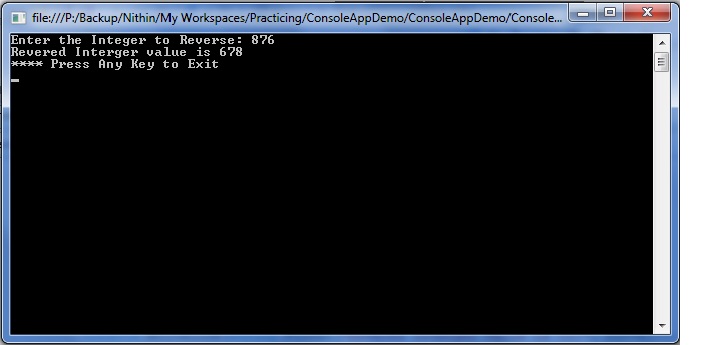
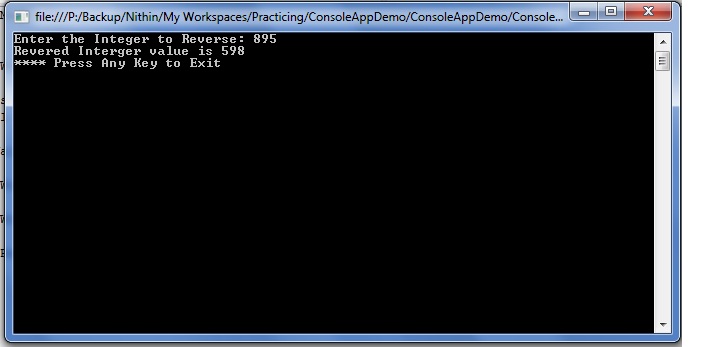
Kudos!!! I hope it will defenitly be useful to some body. Unfortunately i was n’t been able to write it out in my paper in interview time, just after returning the paper only i got this idea, but no use, i thought asking paper back and write n give. Anyway’s some day it will be useful for some one.. KOOOOLLL
Discover more from C4: Container, Code, Cloud & Context
Subscribe to get the latest posts sent to your email.